
Download Phone Trade – trading app, stock trading, ETF trading, financial assets, demo account, multilingual support, Android app, free trading app, investment platform, mobile trading
Overview
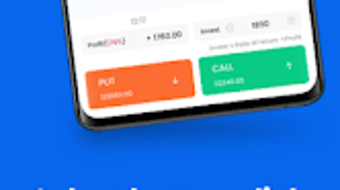
Phone Trade is a mobile trading application designed for Android users seeking to engage in financial markets from their smartphones. The app provides access to a diverse range of tradable assets, including listed stocks, exchange-traded funds (ETFs), stock indices, foreign exchange pairs, and commodities such as metals. It is positioned as a comprehensive investment platform that enables users to trade anytime and anywhere, supporting both novice and intermediate traders who are looking to build confidence and skills in a real market environment. The app’s primary purpose is to simplify the process of investing by offering a streamlined interface and essential tools for market participation.
Target users include individuals interested in personal finance, aspiring investors, and those exploring financial markets for the first time. The inclusion of a free demo account with 10,000 virtual points allows users to practice trading strategies without risking real capital, making it particularly suitable for educational purposes. The developer, Phone Trade, has not provided additional details about the company’s background or history. However, the app’s availability on the Google Play Store and its focus on mobile accessibility suggest a modern, user-centric approach to financial technology. Real-world usage scenarios include monitoring market movements during commutes, executing trades during breaks, and refining trading techniques through simulated environments.
Key Features & Capabilities
- Demo Account with 10,000 Virtual Points: Allows users to experience real-time trading conditions without financial risk. Ideal for practicing strategies, testing market reactions, and gaining confidence before transitioning to a live account.
- Access to Multiple Asset Classes: Supports trading in stocks, ETFs, stock indices, foreign exchange (forex), and metals. This diversity enables users to diversify their investment focus across global markets.
- 24/7 Multilingual Customer Support: Offers real-time assistance via chat or email, ensuring users can receive help regardless of time zone or language preference. This enhances accessibility for a global user base.
- Flexible Account Registration: Users can sign up using Google, Facebook, email, or phone number, streamlining the onboarding process and reducing barriers to entry.
- Mobile-First Design: Optimized for Android devices, the app ensures smooth navigation and responsive functionality on smartphones and tablets.
These features collectively support a learning-focused and accessible trading experience. For example, a beginner can use the demo account to simulate a trade in gold futures, observe price fluctuations, and adjust their approach. An intermediate trader might use the forex section to monitor currency pairs during international market hours. The app’s structure encourages experimentation and skill development, aligning with modern trends in fintech education.
User Interface, Workflow & Performance
The user interface of Phone Trade is designed with simplicity and functionality in mind, prioritizing ease of access to core trading tools. Navigation appears to be structured around a bottom tab bar, with sections for the dashboard, markets, portfolio, and account settings. The layout is likely optimized for touch-based interaction, minimizing the need for complex gestures or multiple steps to execute trades. The workflow emphasizes efficiency, allowing users to view real-time data, place orders, and monitor positions with minimal friction.
Performance details were not specified by the developer. However, based on the app’s size of 12.5 MB and its focus on mobile accessibility, it is expected to operate efficiently on mid-range Android devices. The developer did not provide information on CPU or RAM usage, so specific performance behavior cannot be confirmed. Stability and responsiveness are assumed to be adequate for a free trading app of this nature, especially given its intended use on mobile networks. The app’s lightweight footprint suggests it is designed to minimize battery drain and data consumption during extended use.
Compatibility & System Requirements
Phone Trade is designed exclusively for Android devices. The current version is 2.0.5, released on April 10, 2024. The installation size is 12.5 MB, indicating a lightweight application that requires minimal storage space. The developer did not specify exact system requirements, such as minimum Android version or hardware specifications. As a result, compatibility information is limited to the OS platform and version number provided.
Users should ensure their device meets general Android standards for app installation, including sufficient storage and an active internet connection. The app’s availability on the Google Play Store implies it adheres to platform-specific guidelines, but detailed compatibility details are not available. The developer did not provide information about support for tablets or other Android-based devices beyond smartphones. For optimal performance, users may need to check their device’s operating system version and available memory.
Pros and Cons
Pros
- Free to download and use, with no upfront cost for accessing core features
- Includes a demo account with 10,000 virtual points for risk-free practice
- Supports a wide range of financial assets, including stocks, ETFs, forex, and metals
- 24/7 multilingual customer support via chat or email
- Simple registration using Google, Facebook, email, or phone number
- Lightweight installation at 12.5 MB, suitable for devices with limited storage
Cons
- Exact system requirements and compatibility details were not provided
- Performance metrics such as CPU or RAM usage were not disclosed
- Only available on Android, limiting access for iOS or other platforms
- Security measures are mentioned but not detailed in the provided information
- Trading involves inherent financial risk, which may not be suitable for all users
FAQ Section
Is Phone Trade available for iOS devices?
Phone Trade is currently designed exclusively for Android devices. There is no information available about an iOS version at this time.
Is the demo account truly free and risk-free?
Yes, the demo account is free to use and does not require real funds. It provides 10,000 virtual points to simulate real trading conditions without financial risk.
How do I update Phone Trade to the latest version?
Updates are available through the Google Play Store. Ensure your device is connected to the internet and check for updates in the app’s listing.
What kind of license does Phone Trade use?
The app is distributed as free software under a proprietary license. The developer did not specify the full terms of the license.
Can I use Phone Trade offline?
Phone Trade requires an active internet connection to access market data, execute trades, and maintain account synchronization. Offline functionality is not supported.
Final Thoughts + CTA
Phone Trade stands out as a practical, accessible tool for Android users interested in exploring financial markets. Its combination of a free demo account, multilingual support, and broad asset coverage makes it a strong option for beginners and intermediate traders. While detailed technical and system information is limited, the app’s lightweight design and mobile-first approach suggest it is built for everyday use. The absence of pricing barriers lowers the entry threshold, and the educational focus through simulation enhances user confidence.
Although the app lacks cross-platform availability and detailed performance data, its core offerings align with modern mobile investing trends. Users who value convenience, learning opportunities, and responsive support will find value in the platform. For those seeking a secure, free, and feature-rich trading experience on Android, Phone Trade delivers a compelling solution.
Download Phone Trade now







